Computing Keywords Classroom Display
Download iCompute’s free primary computing keywords classroom display poster.
Also use our teacher guide for computing terms which is available here.
Download iCompute’s free primary computing keywords classroom display poster.
Also use our teacher guide for computing terms which is available here.
At this time of year, with the gorgeous weather we’ve been having throughout the UK, it’s not hard to see the benefits of teaching primary computing with iPads.
One of the main advantages that my pupils point out about iPads over pcs/laptops is that you can pick them up and carry them around. So carry them around we have throughout this summer term. I’ve been teaching from our iPad pack and taking our computing lessons outside.
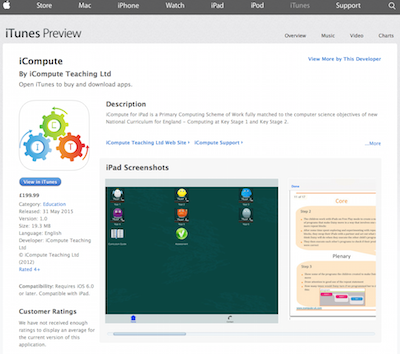
Teaching our iPad units just got easier with the launch of our iCompute for iPad apps that now also sell as individual year groups on the App Store.
I can now tap and share resources like pupil support materials and worksheets using AirDrop, play our video screencasts and model how to use the programming apps on the interactive whiteboard using AirPlay. Our teaching resources are now literally at my fingertips. All I need is my iPad, iCompute for iPad and appropriate programming apps and I’m good to go. Anywhere.
The possibilities are limitless and I’m so enthused by the success of teaching computing using iPads that I’m currently developing a new product – iCompute Across the Curriculum. This will help consolidate the children’s learning in computing, allow them to practice their skills and enhance other areas of the curriculum.
For now though, the children are enjoying the great outdoors and creating some fantastic apps to compliment their forthcoming sports days. Fingers crossed the weather plays ball!
Find out more about our whole-school scheme of work and iPad packs at http://www.icompute-uk.com
iCompute, the digital computing scheme of work for primary schools, is proud to announce the launch of its iPad app on the App Store this week.
iCompute for iPad is a digital primary computing scheme of work matched to the algorithms and programming objectives of the 2014 National Curriculum for Computing at Key Stage 1 and Key Stage 2. Designed and authored by a computer scientist and primary computer science master teacher, it provides step-by-step lesson plans and all the materials schools needs to teach primary computing creatively and with confidence from Year 1 to Year 6 using iPads. iCompute has been specifically designed to teach the teacher, as well as the pupils, with innovative and engaging activities that use the very latest tools and technologies.
Liane O’Kane, founder and author of iCompute comments: “We are so pleased that our iPad app is now available on the App Store. As a leader in providing innovative digital educational curricula and materials, it’s fantastic that teaching primary computing using iPads just got easier for schools. We were the first UK company to provide a primary computing scheme of work and lead the way in providing innovative, engaging and challenging teaching materials and resources that improve teaching and learning in computing. Our iPad app is the first of many to come. Watch this space for our forthcoming, fab, programming app for Key Stage 1!”
For more information, please visit www.icompute-uk.com or

With the introduction of the new primary computing curriculum in September 2014 and Ofsted inspection guidance emphasising the need to use mobile technologies in classrooms, more primary schools than ever now have iPads.
One question I get asked frequently as a primary computer science master teacher and author of iCompute, a primary computing scheme of work, is how best teachers and schools can make full use of their iPads to, not only teach computing discretely, but also to embed it in other subject areas.
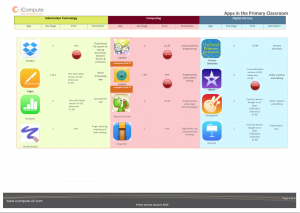
The list is by no means exhaustive and will be ever changing, but I’ve put together a document you can download and use outlining what I consider to be some of the best iPad apps around the moment that offer potential for enhancing and enriching teaching and learning in primary computing and embedding it throughout the curriculum.
I’ve also cross-referenced the apps against the three areas of primary computing – Digital Literacy, Information Technology and Computing and highlighted which our iPad Pack use explicitly for structured half-termly units of work with step-by-step lesson plans and pupil worksheets/support materials.
I’m developing new schemes at the moment aimed at enhancing teaching and learning using iPads across other subject areas.
Coming soon will be the first in a series, iInvestigate, providing units for engaging, practical, primary science investigations that also use iPads and some brilliant iPad apps.
iCompute, the digital computing scheme of work for primary schools, is proud to announce being shortlisted for the ‘Primary Digital Content’ and ‘Best Whole Course Subject Curriculum Resource’ BETT Awards 2015 for its whole-school and iPad computing scheme of work.
The primary computing curriculum aims to help young children develop the skills to become digitally literate enabling them to fully participate in an increasingly digital world: to communicate, collaborate, create and express themselves using technology. The ever-increasing wealth of technologies available presents exciting, and rapidly evolving, opportunities to interact, socialise and learn online. But it also poses potential dangers and the new National Curriculum for Computing at KS1 and KS2, rightly, has a focus on teaching children to stay safe online.
In our changing technological world, we teachers need to better understand digital education as a pedagogy and I often get asked how I teach and manage eSafety in my classes.
The new National Curriculum for Computing at KS1 and KS2 is, arguably, one of the few subjects that primary teachers fear their pupils will know more about than themselves.
A question I frequently get asked is ‘How do you cope when the children know more than you do’? As a Computer Scientist, it takes a lot to out-geek me but I know many teachers feel they have no hope of keeping ahead of the children they will be teaching.
There’s no need to. Children seemingly racing ahead with what look like quite sophisticated software and systems is no guarantee of them making progress in computing; because you’re teaching them much more than just programming. Here are a few tips on how to facilitate learning in computing whilst not holding your pupils back.